|
EXTON OpSuS Tumbleweed Deepin 20.6
respectively LXQt 1.2 64 bit UEFI
Linux Live DVD/USB - Build 231220,
230212 and 181126 (Build
181126 only for Raspberry Pi 3)
EXTON OpSuS Tumbleweed
is based on openSUSE
Tumbleweed, which is a
rolling distribution. I.e. no
need for new installations. Just run
the command sudo
zypper dup and you will
always get the latest stable
packages/kernels. The ISO files are
of 3290 MB respectively 1430 MB. The
LXQt version will thus run very fast
from a DVD or a USB stick. Even in VirtualBox/VMware
directly from the ISO file.
NEWS ABOUT EXTON OpSuS Build
231220 with the Deepin DE
I've made a new version of EXTON
OpSuS with Deepin
20.6 as DE (Desktop Environment). It
replaces version 230215, which also
had the Deepin DE installed. Version
231220 is a total rebuild of
version 230215 with many more
openSUSE packages pre-installed. The
ISO-file has thus increased from
1570 MB to 3290 MB. I have managed
to install Refracta Snapshot,
which means that you can completely
change the EXTON OpSuS System and
then create a new ISO-file.
(Your own). Your new openSUSE system
will also be Live and installable.
After an installation of EXTON OpSuS
to hard drive you'll have to
reinstall Calamares
(the installer) though. That is done
with the command sudo zypper in
calamares. You should do that
before you start Refracta Snapshot
if you want to generate an ISO
(openSUSE System) which is
installable. A new kernel is used -
6.7-rc5-amd64-exton. Watch a
screenshot
when Refracta Snapshot has started.
You'll find your new ISO file in
/home/snapshot. The whole
"remasterprocess" is very simple and
quick.
ABOUT the Deepin
Desktop Environment
Deepin
DE (made in China!) is devoted
to providing a beautiful, easy to
use, safe and reliable system for
global users. I came to like
the Deepin DE very much when I
installed it in ExTiX
and ArchEX.
So I thought why not install the
Deepin DE also in EXTON OpSuS?
ABOUT EXTON OpSuS for PC's
EXTON OpSuS Tumbleweed with
Deepin 20.6 respectively LXQt 1.2
uses kernel 6.7-rc5-amd64-exton
respectively 6.1.10-1. Installed
programs: Among many other programs,
Firefox, NetworkManager, GParted and
Calamares
Installer. You'll run the system as
root from the beginning as
regards Build 230212. Root's
password is linux. EXTON
OpSuS can easily be installed to
hard drive (of those who so desire).
For that you shall use Calamares
Installer. All packages have been
updated to the latest available
version as of February
10, 2023 (LXQt version) and December
20, 2023 (Deepin version).
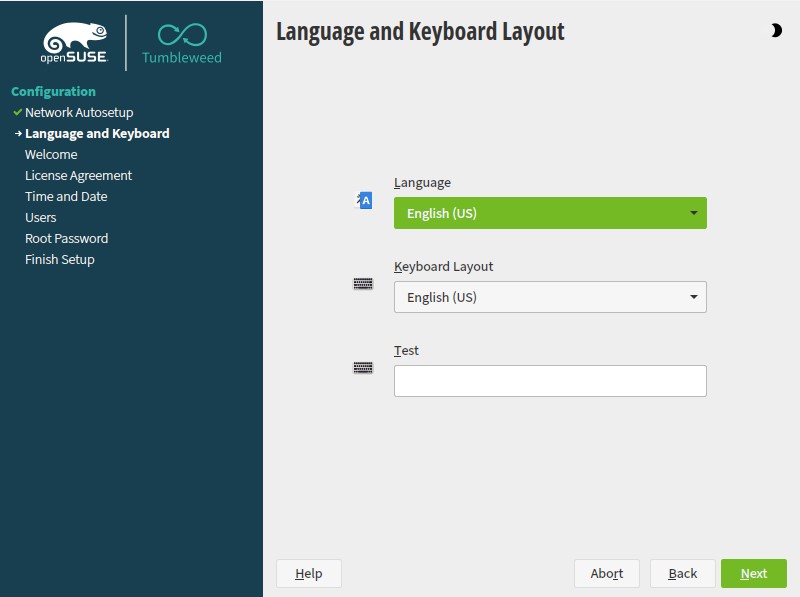
NOTE1 as regards Build 230212:
If you run EXTON OpSuS on a non-UEFI
computer or in VirtualBox/VMware
you'll get a chance to create an
ordinary user before you enter the
desktop. And also change the
password for root. You will see this
screen when the boot process
is ready.
NOTE2 as regards Build 230212:
If you run EXTON OpSuS on a UEFI
computer you will (probably) end up
in console mode. Log in as root
with password linux. Then
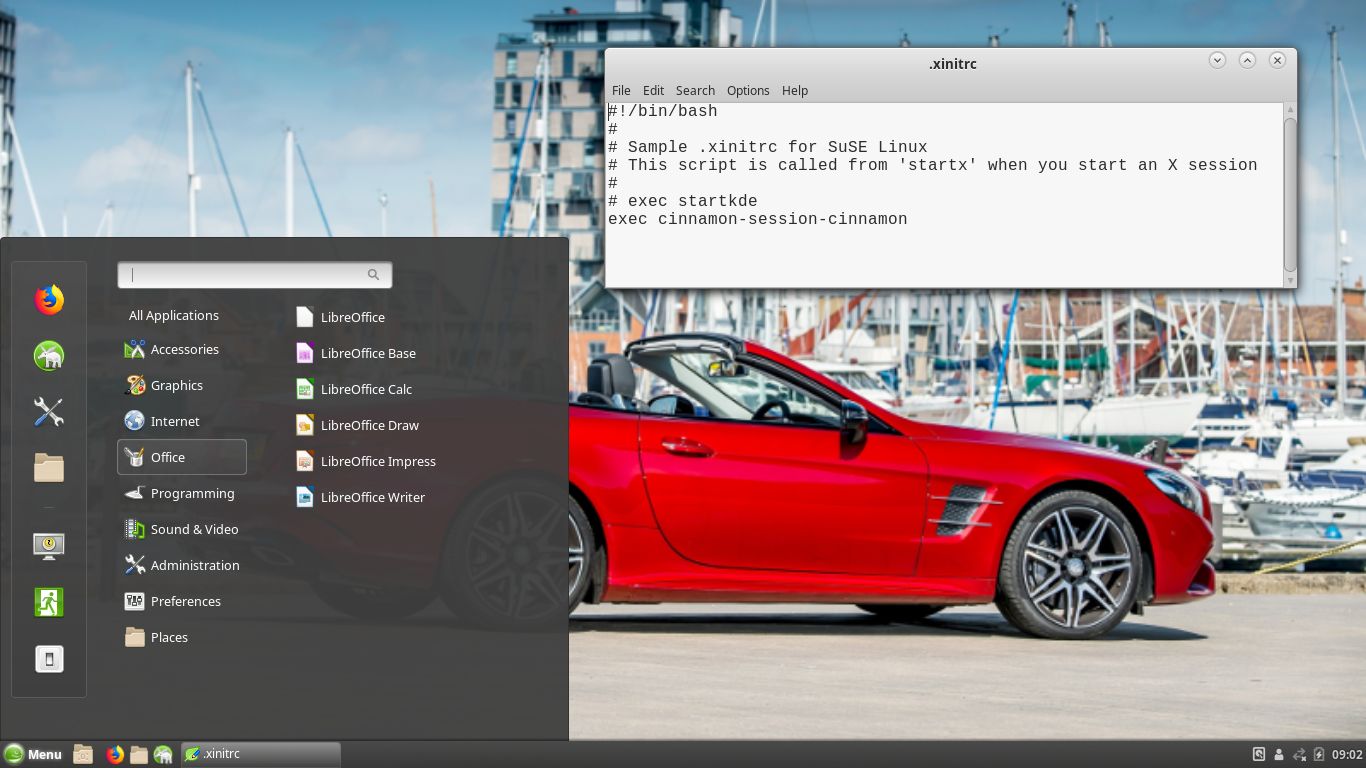
run the command startx. You
will then enter the LXQt 1.2
Desktop. If you do not see a login
prompt you shall press Ctrl Alt
F2 simultaneously.
NOTE3: Version 230212 of
EXTON OpSuS can run on really old
computers. As an example I could run
them on my 17 years old laptop Acer
Aspire 5102 WLMi.
NOTE4 as regards Build 231220:
You will run the system as the
normal user user or as root.
The passwords are live
respectively root. When the
boot process is ready you will end
up at the SDDM Login Screen. Choose
to log in to Deepin as root or as
user. When logged in as root you
won't have sound.
NOTE5 as regards Build 231220:
There is (possibly) one "bug" in
this build. If you after a hard
drive installation of EXTON OpSuS
can't boot the system there is
probably something wrong with the
filesystem. You should then boot up
another Linux system (from your hard
drive or from a USB stick) and run
the following commands (examples):
A) sudo fsck /dev/sda6
Possible answer: "/dev/sda6 has
unsupported feature(s):
FEATURE_C12".
B) Fix it by running this command: tune2fs
-O ^metadata_csum_seed /dev/sda6
C) Check the outcome with this
command: grub-probe --target=fs
--device /dev/sda6
The answer shall/must be:
"ext2"
Watch this screenshot...
The system language is English.
INSTALLATION of EXTON OpSuS to a
USB stick in Linux :: ALSO WITH
PERSISTENCE - only as regards
Build 230212
In Linux you shall use this command
as root:
dd
if=/path/to/exton-opsus-x86_64-tumbleweed-lxqt-1430mb-230212.iso
of=/dev/sd<X> bs=4M
status=progress && sync
NOTE1: Unmount the USB before
you run the install command. Unmount
with: umount /dev/sd<X>
NOTE2: /dev/sd<X> can
be (for example) /dev/sdb or
/dev/sdd (never /dev/sdb1 or
/dev/sdd1).
NOTE3: If you use the install
command above you will achieve persistence!
I.e. all system changes will
automatically be saved on the stick.
NOTE4: You should/must use a
fairly new and "good" USB stick. If
you do that EXTON OpSuS will run
pretty fast from the USB stick.
NOTE5: Your created
persistent USB stick with EXTON
OpSuS can't be used on ALL
computers. Only on similar computers
with the same type of graphics card
etc. So if you want to run EXTON
OpSuS on another different computer
you'll have to install the ISO on a
new USB stick.
INSTALLATION of EXTON OpSuS to a
USB stick in Windows :: ALSO WITH
PERSISTENCE
Use Rufus
4.3 for the installation and be sure
to write the ISO file to the USB
stick in DD Image mode.
Watch this screenshot...
Unfortunately the performance will
be a bit slow after such an
installation.
Installation
of EXTON OpSuS from a USB stick
(or DVD) to hard drive
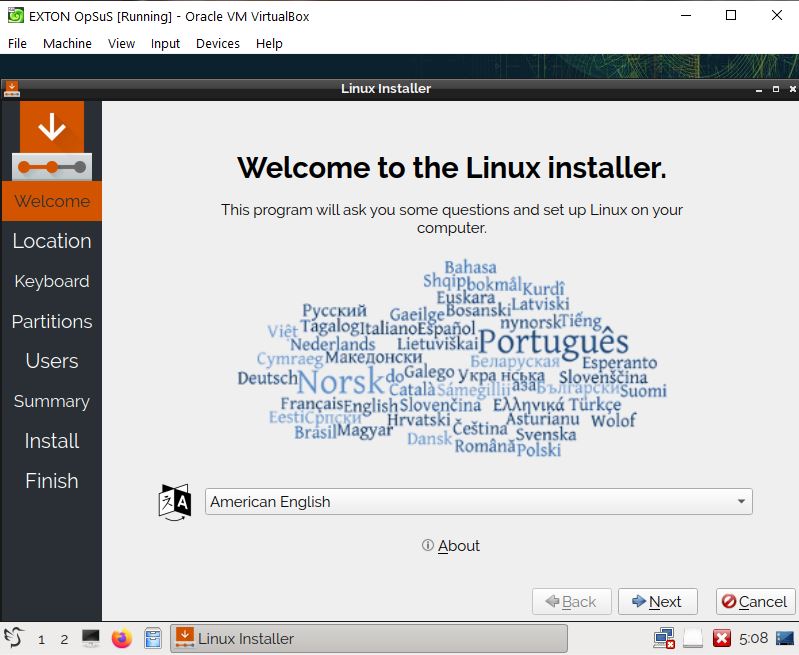
1. Start Calamares Installer -
watch this screenshot.
(Installation in VirtualBox).
2. Calamares settings (user etc) -
watch this screenshot.
3. Ready to install with Calamares -
watch this screenshot.
Install Grub2 to MBR (/dev/sda).
4. The installation to hard drive is
ready - watch this screenshot.
How to run EXTON OpSuS in full
screen in VirtualBox
(Build 230212)
For that you'll need VirtualBox
Guest Additions. Install them
like this.
1. Install EXTON OpSuS to hard drive
using Calamares - see above.
2. Insert the VirtualBox Guest
Additions CD from the menu/Devices -
watch this screenshot.
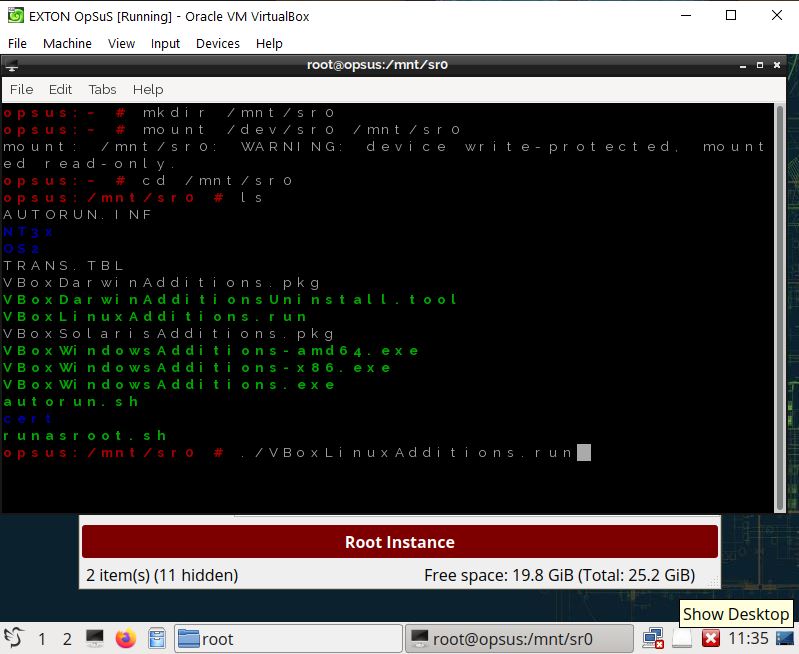
3. Mount /dev/sr0 at /mnt/sr0 - watch
this screenshot.
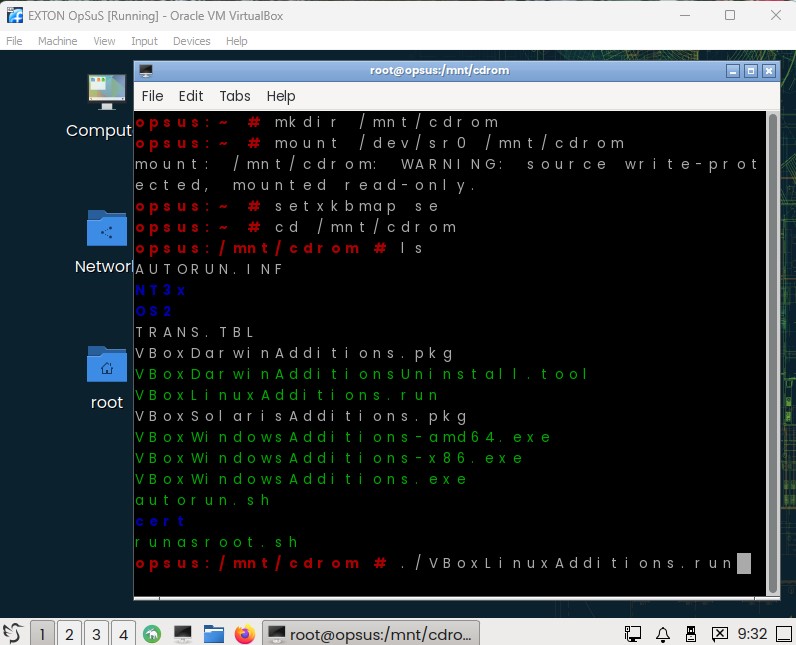
4. Got to /mnt/sr0 and run the command
./VBoxLinuxAdditions.run - watch this
screenshot.
5. Reboot and enjoy running EXTON
OpSuS in full screen - watch this screenshot.
NOTE: In Build 231220
VirtualBox Guest Addition are
pre-installed - watch this screenshot...
Log in to the LXQt
Desktop on UEFI computers - Build
230212
First you'll may have to log
in to the Desktop as the as root
(superuser) from console mode.
Password: linux.
Then run the command startx.
NOTE: On some UEFI computers
and on all non-uefi computers or in
VirtualBox/VMware you'll get a chance
to create an ordinary user before you
enter the desktop. And also change the
password for root. You will see this
screen when the boot process is
ready.
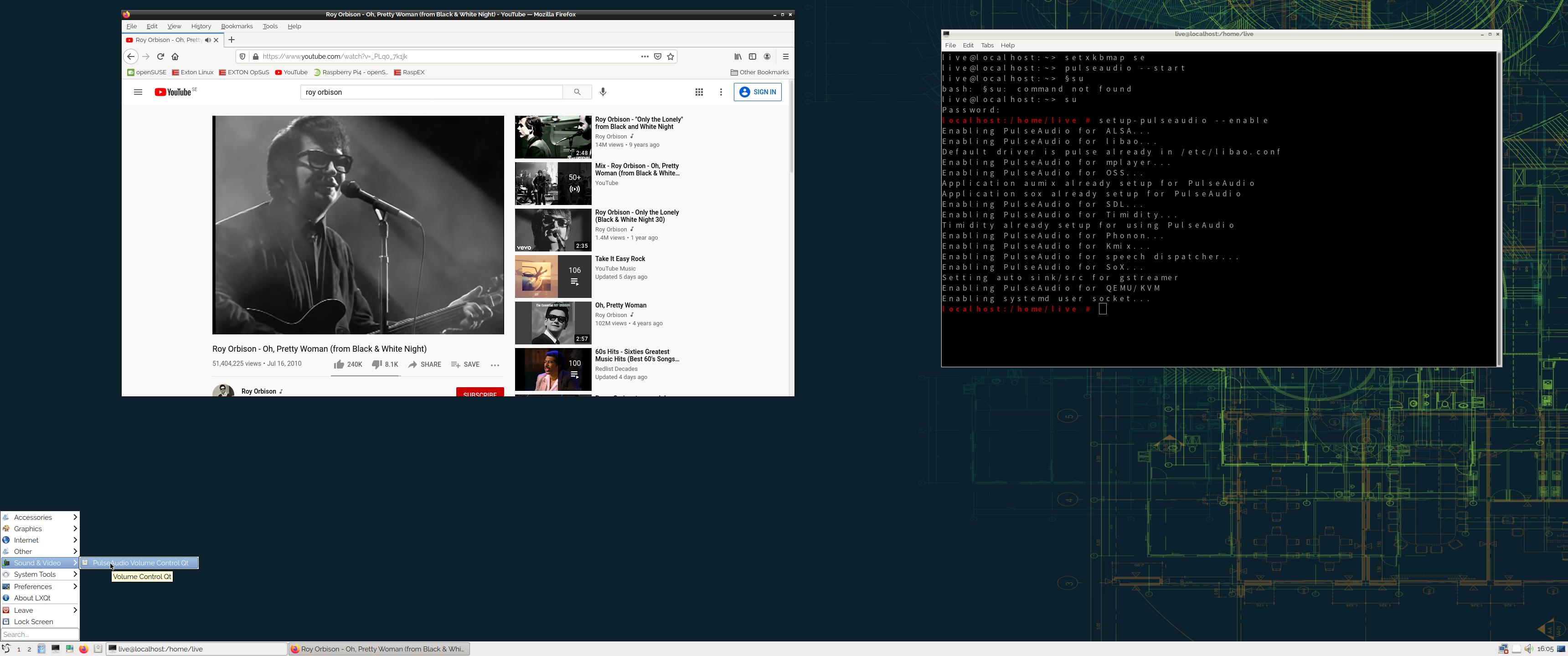
How to enable sound - Build 230212
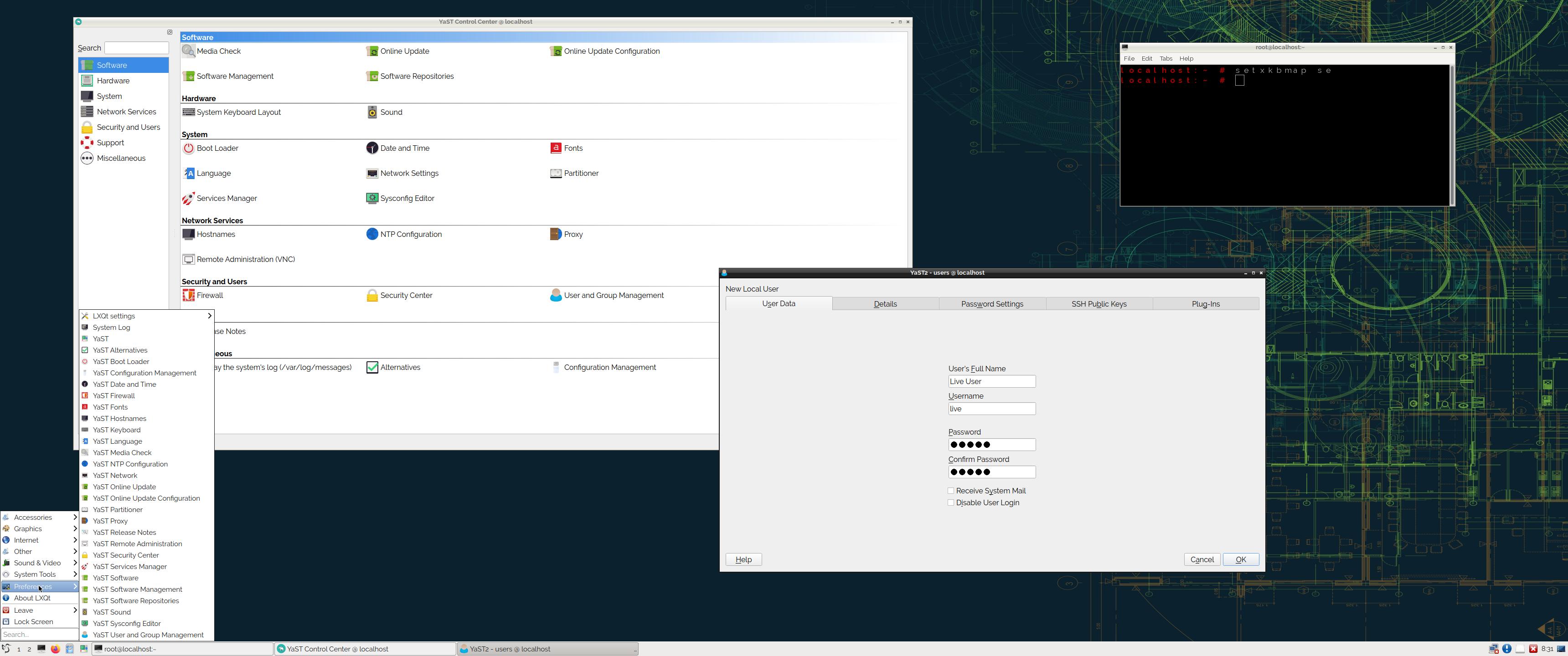
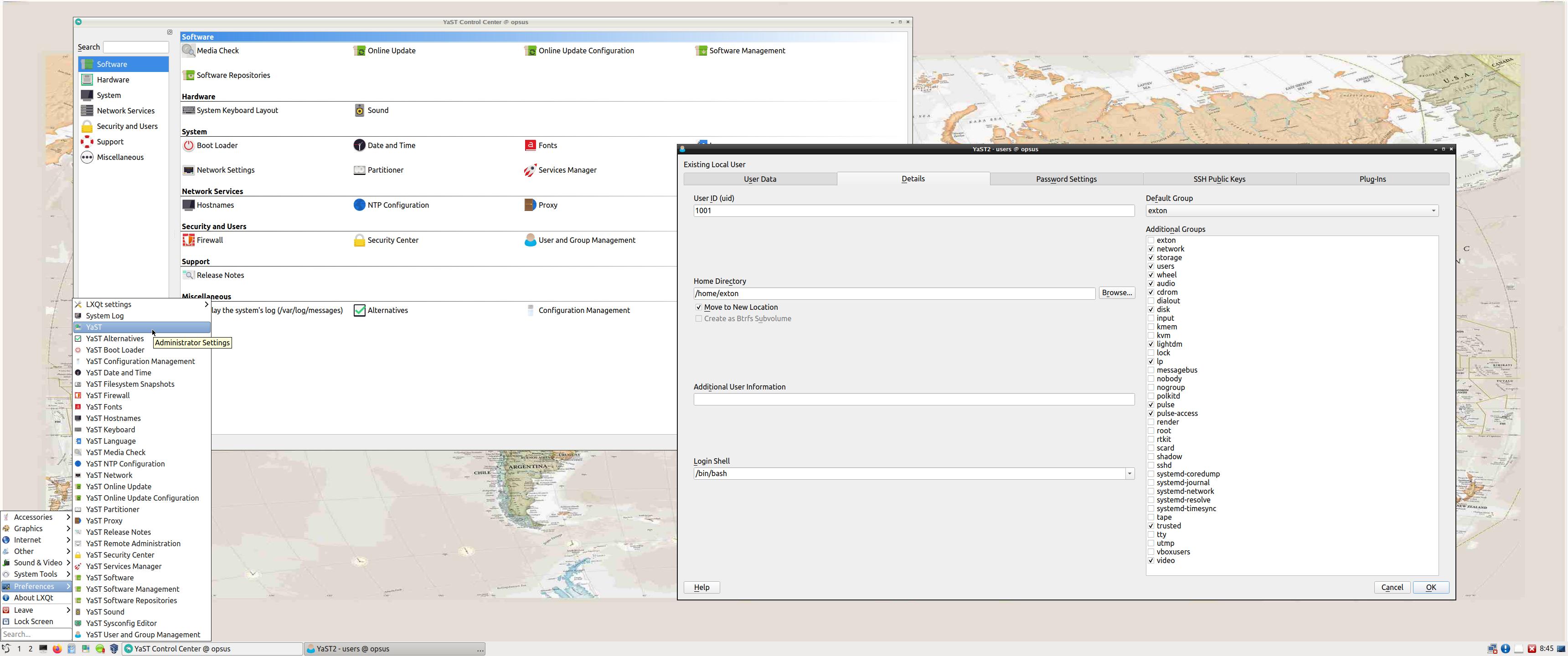
1. Create a normal/ordinary user using
YaST.
Watch this screenshot.
You will only have sound when logged
in as an ordinary user. (You can't run
Pulseaudio
as root).
2. Log in to LXQt as your ordinary
user and run the command pulseaudio
--start.
3. Su to root and run the command setup-pulseaudio
--enable.
NOTE: The commands are not
necessary to run when using Build
230215 or 230212.
Network connections in EXTON
OpSuS
Use Yast2.
To find out the names of your Network
Interfaces run the command iwconfig.
If you use a wired connection you will
be connected automatically.
Wireless
connections
Use YaST
Control
Center - screenshot.
Or just click on the
NetworkManager-applet on the panel to
the right and choose your Network.
Watch this screenshot
or this
one as regards Build 231220. You
may have to edit
/etc/resolv.conf to get connected to
the Internet. Add nameserver
8.8.8.8 on the last line.
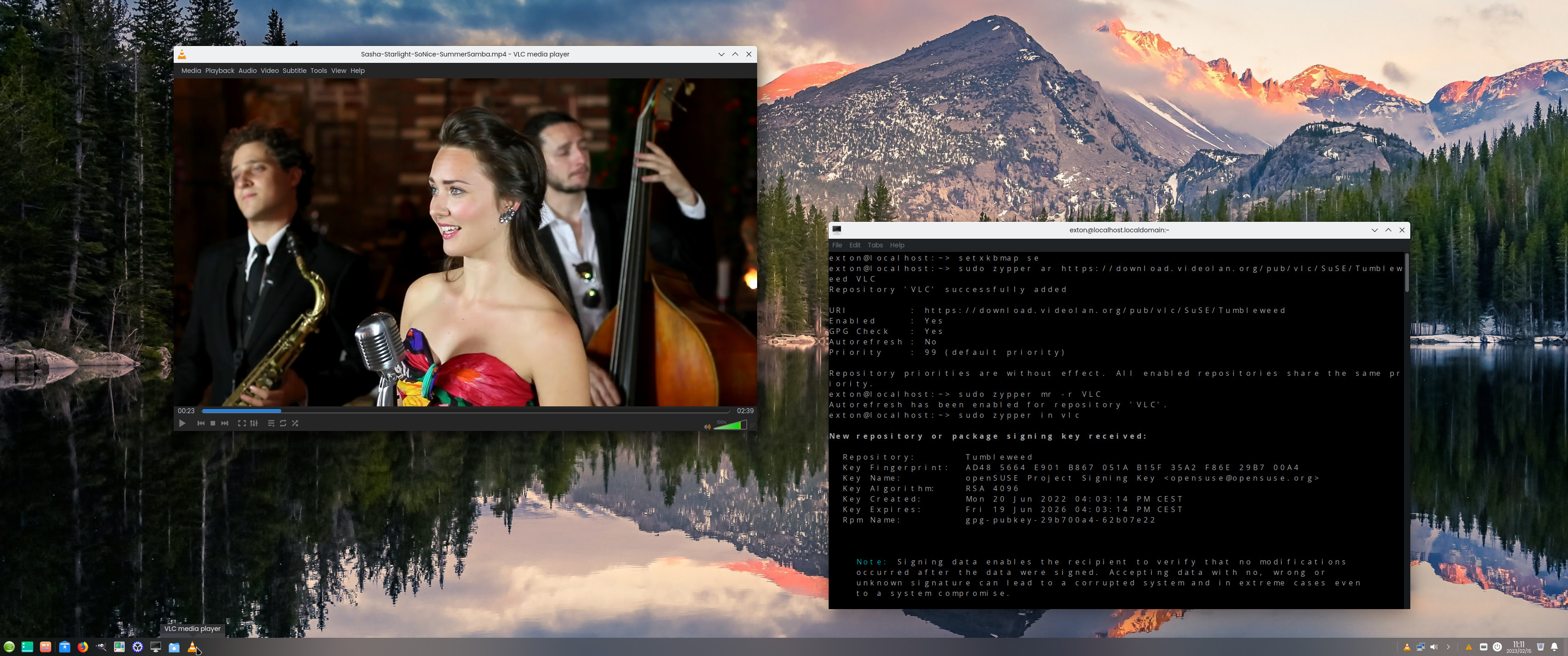
USING VLC
in EXTON OpSuS
You'll have to install a special
version of VLC
due to licensing patents. Read about
it here.
I.e. you shall run the following
commands as root.
1) zypper ar
https://download.videolan.org/pub/vlc/SuSE/Tumbleweed
VLC
2) zypper mr -r VLC
3) zypper in vlc
After that you can enjoy videos in
VLC. Watch this screenshot...
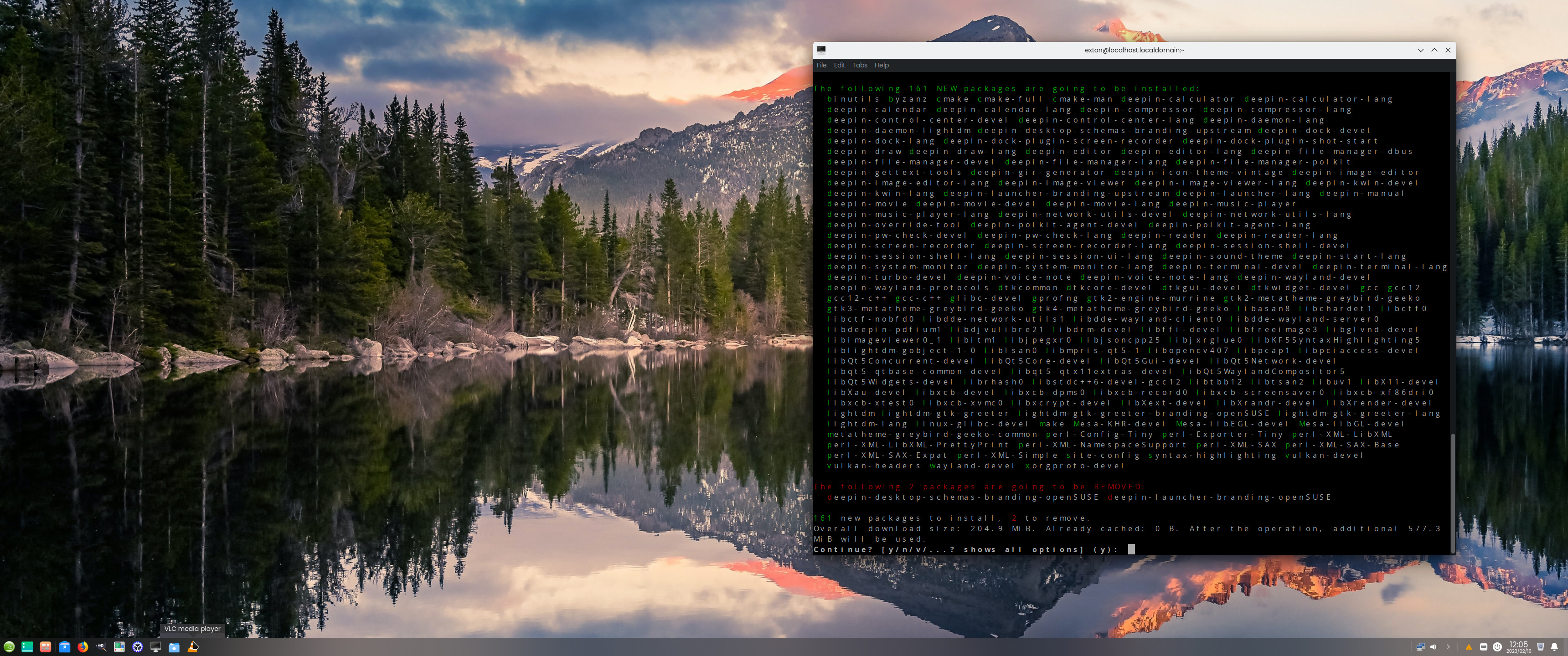
How to make a full installation of
Deepin 20.6
If you want a full Deepin 20.6 Desktop
you shall install it with this
command:
sudo zypper in deepin-* addlock vlc
That way your "special" VLC
installation (see above) won't be
destroyed. Watch this screenshot...
How to enable SWAP
If you use EXTON OpSuS on a computer
with low RAM
you may want to use a SWAP
partition. Enable it with this command
(example):
sudo swapon /dev/sda6 - watch
this screenshot...
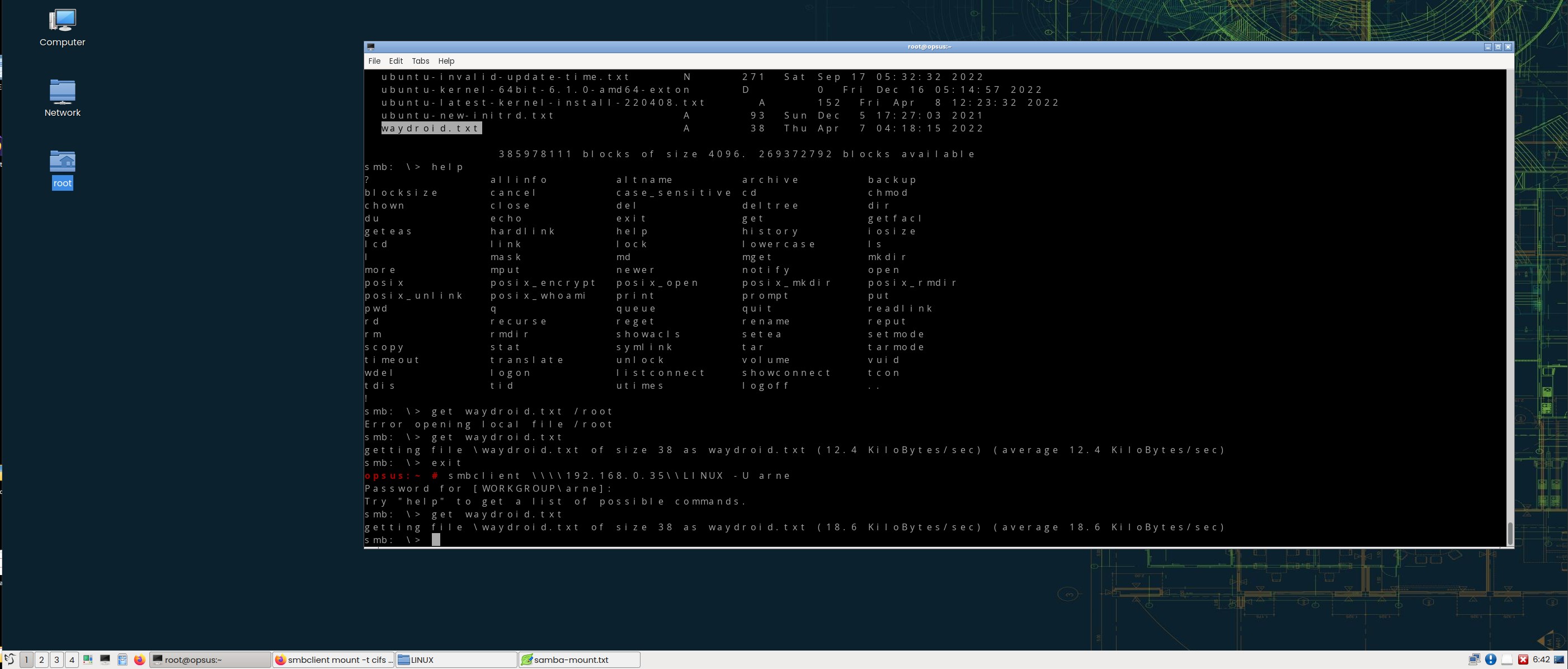
Using Samba
You can connect to your Windows
computers in your Home Network using
this command as root: smbclient
\\\\192.168.0.35\\LINUX -U arne
NOTE1: This is an example of
course. LINUX is my shared
folder on one of my computers. arne
is my login name on my Windows
computer. You'll find your correct
IP-address by running the command ipconfig
on your Windows computer. Watch a screenshot
when the Samba command is running. You
can transfer files between your
computers using the command get
and put.
NOTE2: In Build 231220 you can
use the file manager PCManFM
for your Samba connections. Connect to
one of your computers in your home
network with (example) smb://192.168.0.36
Is EXTON OpSuS Deepin/LXQt Build
231220/230212 unique?
If you have a look at openSUSE's
official Download site you can
see that there is no live Deepin
or LXQt version available. EXTON
OpSuS Build 231220 is most certainly UNIQUE.
There is no other distro based on
openSUSE containing Refracta Snapshot!
Why
should
someone choose EXTON
OpSuS/openSUSE?
News
181126 about EXTON OpSuS Rpi
I’ve made a “remaster” of openSUSE’s
Tumbleweed image for Raspberry
Pi 3 with the XFCE
Desktop and many other more or less
necessary packages. Study the full package
list. READ
MORE about this version for
Raspberry Pi 3...
DOWNLOAD
EXTON OpSuS Tumbleweed
Linux Live DVD/USB (both versions)
can be downloaded from SourceForge.net
- Fast, secure and free
downloads from the largest Open
Source applications and software
directory.
Alternative DOWNLOAD
location
The IMAGE file exton-opsus-x86_64-tumbleweed-lxqt-1430mb-230212.iso
can also be downloaded from the Swedish
Linux
Society's server.
md5sum
for EXTON OpSuS Tumbleweed Deepin
64bit ISO, which is of 3290 MB
md5sum
for EXTON OpSuS Tumbleweed LXQT
64bit ISO which is of 1430 MB
________________________________________________________________

Other EXTON Linux Live
Systems in English
you
may like...
Almost all Exton Linux
distributions are hosted by The
Swedish Linux Society. Sixteen
(16) exton distributions can also be
downloaded from SourceForge.net
- Fast, secure and free
downloads from the largest Open
Source applications and software
directory.
READ MORE ABOUT each
distribution...

Contact
|
![]() |
Other considerations »
Disclaimer: This is experimental
software. Use at your own risk.
Under no circumstances may C A Exton
or exton.net be held liable for
damage to hardware or software, lost
data or other damage either direct
or indirect caused by using this
software.
Connect With Me

EXTON OpSuS >> PayPal
If you like OpSuS, please use the
button below...

EXTON distributions:
The number of Exton distributions
has decreased from 66 (all time high
in June 2011) to 16. See a complete
LIST. It was a bit too much
for me to keep 66 distributions up
to date. All Exton distributions on
the Swedish Linux Society's FTP
Server can be reached HERE.

Screenshot - LXQt Desktop

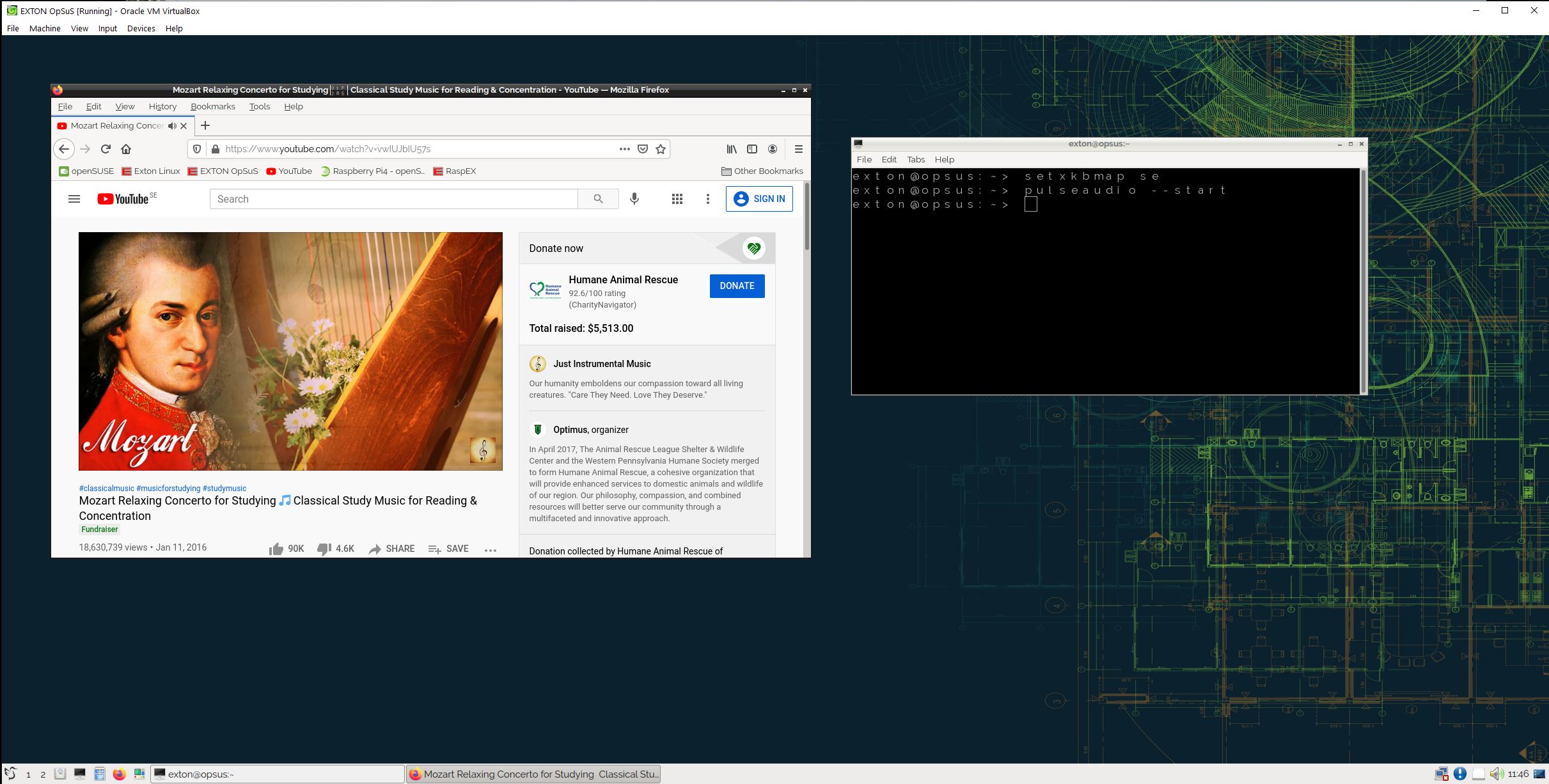
Screenshot - running in VirtualBox
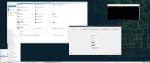
Screenshot - YaST Control Center
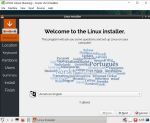
Screenshot - Calamares has started
in VirtualBox
Why
should
someone choose EXTON
OpSuS/openSUSE?
Contact
Android-x86
Custom

Read
about my Android-x86
Systems – 11,
10, Pie, Oreo,
Nougat,
Marshmallow,
Lollipop and
KitKat at
andex.exton.net
– latest is AndEX
11 (with GAPPS),
AndEX
10 (with GAPPS)
and AndEX
Pie 9.0
(also with
GAPPS)!
and
about
my Android 13,
12, 11, 10,
Pie, Oreo,
Nougat,
Marshmallow
and Lollipop
versions for Raspberry
Pi 4 and 3/2
at
raspex.exton.se
–
latest is
RaspAnd 13
and 12
(without GAPPS),
RaspAnd
11 (with GAPPS)
and RaspAnd
Oreo 8.1
(also with GAPPS)!
|
|